

New Website: Catalogue Your Coin Collection Free
Our new website has a free coin collection catalogue called My collection. Coins you buy from us appear in it automatically, and you can add coins from anywhere else. You can also set keyword alerts for any ruler or denomination and save coins you love.
We have rebuilt the Pashiz Coins website from the ground up. It is faster, easier to browse and easier to use on a phone. The biggest change is what happens after you create an account. Your account is now a working tool for collectors, not just a place to check an order.
Three features matter most. Each one is free.
My collection
A record of every coin you own, with photos, grades, certificates and notes.
Keyword alerts
Name a ruler or denomination. We email you when a match is listed.
Saved coins
Save coins you love and come back to them, even after they sell.
Feature 1Your coin collection catalogue
Most collectors track their coins in a notebook, a spreadsheet or their memory. Then a collection is inherited, insured or sold, and nobody can find the records. My collection keeps everything in one place.
You find it in your account, under My collection. At the top, you see three numbers: how many coins you hold, the total you have paid, and how many categories you collect in.
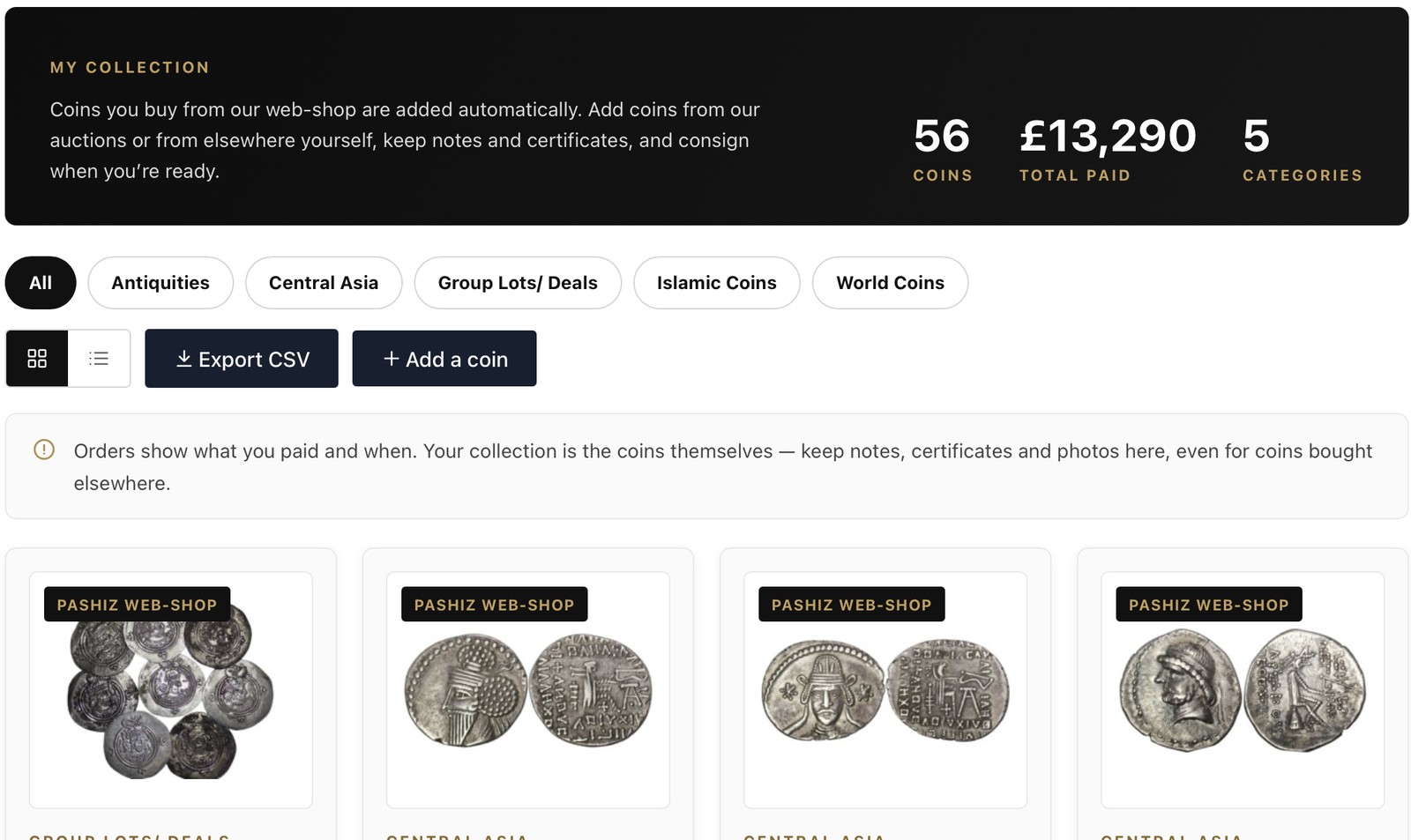
Coins from us appear automatically
When you buy a coin from the Pashiz web shop, it goes straight into your collection. You do not need to type anything. Each coin arrives with its photo, title, price and the date you bought it.
Browse, filter and export
Filter your collection by category, such as Islamic Coins, Central Asia or World Coins. Switch between a grid and a list. Use Export CSV to download your whole collection for a spreadsheet or for insurance records.
Add the details that matter
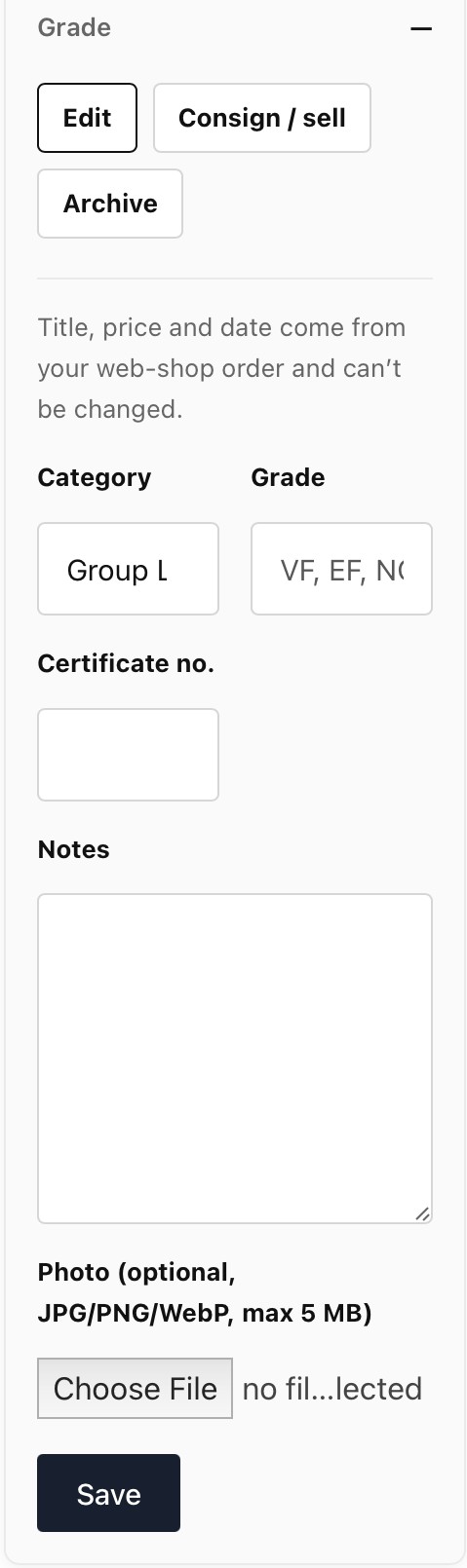
Every coin has an Edit button. For coins bought from our web shop, the title, price and date come from your order, so they stay as they are. This keeps your records accurate.
You can add your own details to each coin:
- the category
- the grade, such as VF or EF
- the certificate number, for graded coins
- your notes
- your own photo
You can also Archive a coin you no longer hold. And when you are ready to sell, the Consign / sell button starts that process for you.
Feature 2Add coins you bought elsewhere
My collection is not limited to coins from us. Use Add a coin to record any coin you own, wherever it came from. That might be:
- our auctions
- another dealer's shop
- eBay or another online marketplace
- another auction house, a coin fair or a family collection
For each coin, you add a photo, a title, a category and the price you paid. The site reminds you why this matters. Orders show what you paid and when. Your collection is the coins themselves, with notes, certificates and photos, even for coins bought elsewhere.
Why this helps
A full record shows what you spent and what you hold. It shows which areas of the collection are strong and where the gaps are. It also gives you clear records if you ever decide to sell, consign or insure.
Feature 3Keyword alerts for the coins you want
If you collect a particular ruler, dynasty or denomination, you no longer need to check the site every day. Set an alert and we do the watching. Find it under Wishlist & alerts in your account.
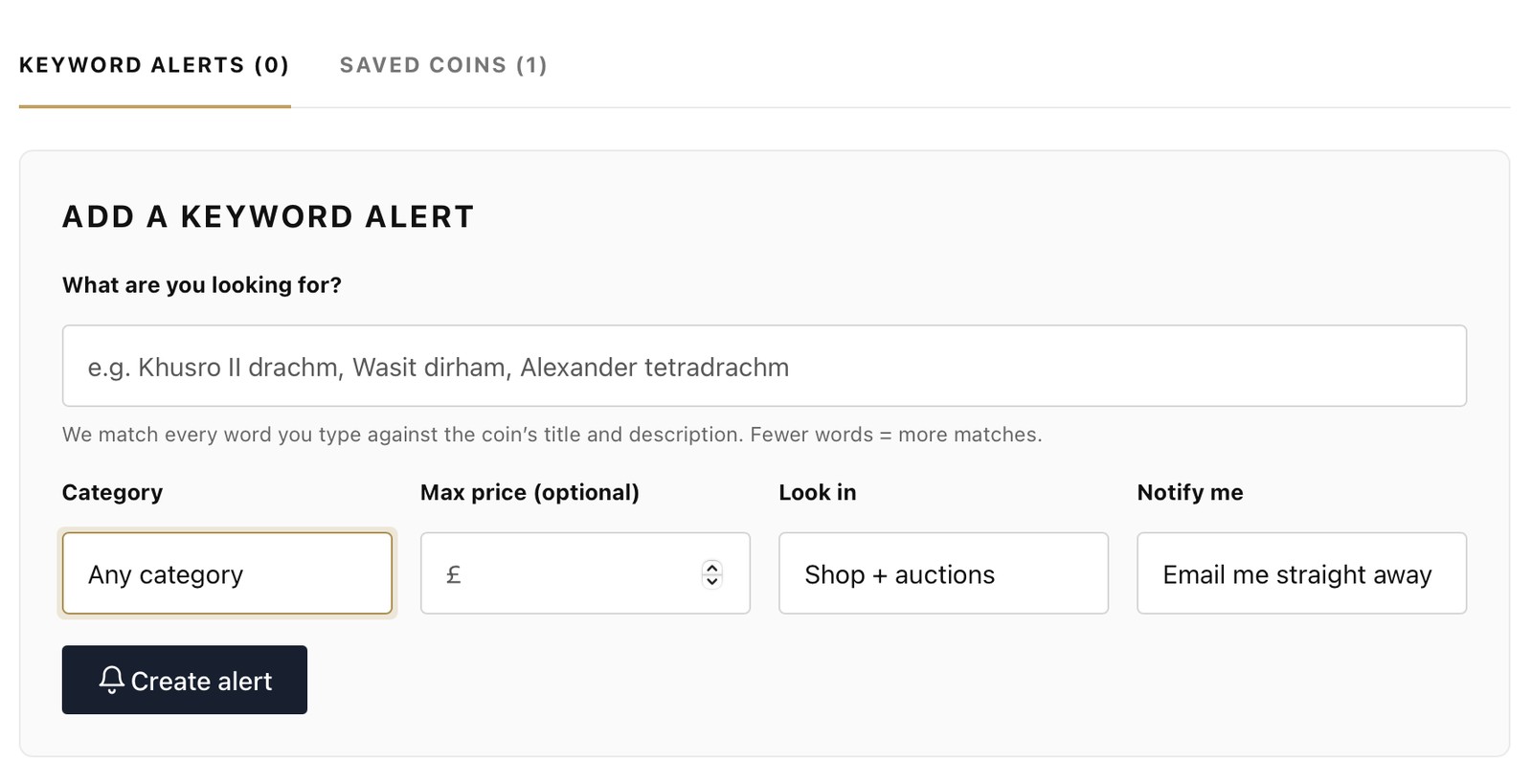
How to set an alert
- Type what you are looking for. Try a ruler and denomination together, such as "Khusro II drachm" or "Wasit dirham".
- Narrow it down if you like. Pick a category and set a maximum price.
- Choose where to look. Pick shop and auctions, shop only or auctions only.
- Choose how to be notified. The default is an email straight away.
We match every word you type against the coin's title and description. Fewer words mean more matches. If you want a wide search, keep it short.
Your matches, in one place
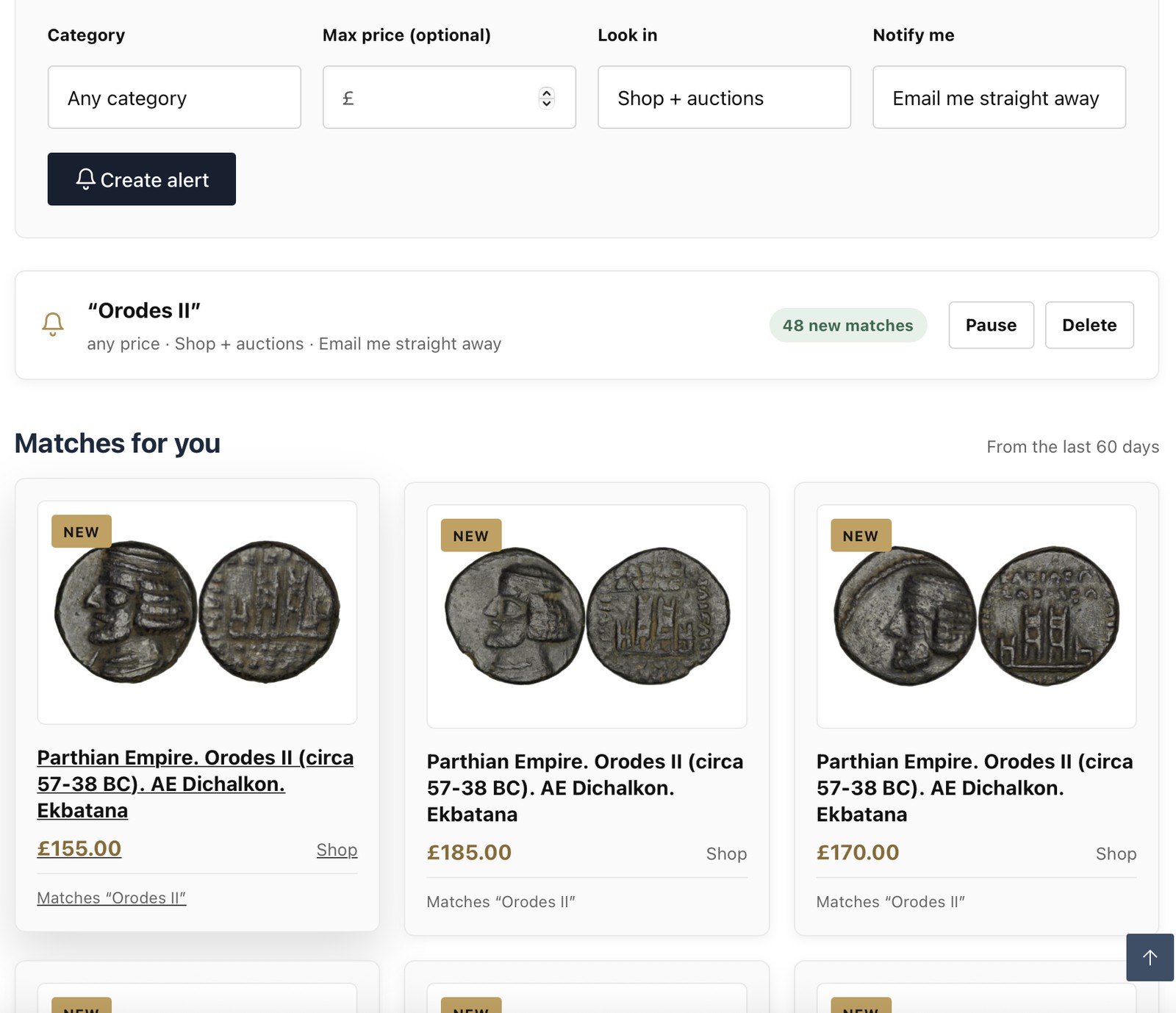
Each alert stays active in your account. It shows how many new matches there are, and a Matches for you list below it, from the last 60 days. You can pause or delete an alert at any time.
Feature 4Saved coins
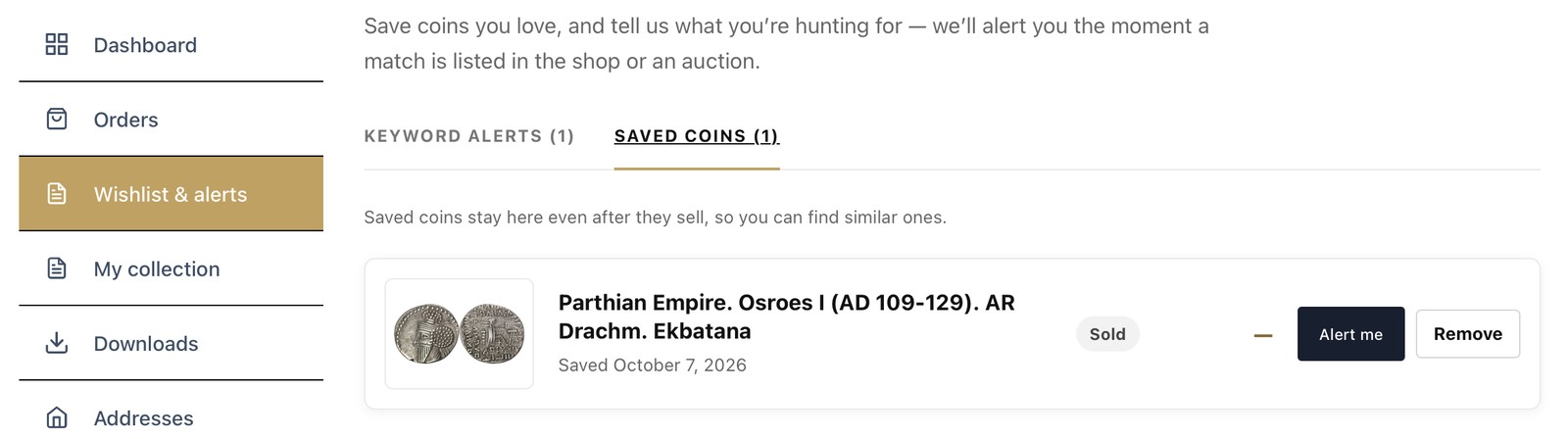
See a coin you like but are not ready to buy? Save it. Your saved coins stay in your account on the Saved coins tab. They stay there even after they sell, so you can find similar ones.
Each saved coin has an Alert me button. Press it to set an alert for similar coins, so you hear about the next one first.
Rare coins are one of a kind, so a saved coin can sell. Do not wait too long on a piece you really want.
Getting startedSet up your account in three minutes
- Create your free account on pashizcoins.com, or log in if you already have one.
- Open My collection and add your first coin with Add a coin.
- Open Wishlist & alerts and set one alert for a ruler or denomination you love.
- Browse the coin store and save your favourites.
Alerts can also watch our upcoming auctions.
QuestionsFrequently asked questions
Is the coin collection catalogue really free?
Yes. My collection, keyword alerts and saved coins are free for every account holder.
Do I have to buy from Pashiz to use it?
No. You can add coins you bought anywhere, so My collection works for your whole collection.
Can I change the title or price of a coin I bought from you?
No. The title, price and date come from your order and stay fixed. You can add a category, grade, certificate number, notes and your own photo.
Can I add coins from eBay or other auctions?
Yes. Use Add a coin, then add a photo, title, category and the price you paid.
Can an alert watch the auctions as well as the shop?
Yes. Choose shop and auctions, shop only or auctions only.
Can I download my collection?
Yes. Use Export CSV to download your collection as a spreadsheet.
What does Consign / sell do?
It starts the process of selling a coin from your collection through Pashiz. We handle the sale from start to finish.
Start your free collection today
Create your account, add your first coin and set an alert. It takes a few minutes.
Create or open your account Browse the coin store