

Set Alerts for Coins You Want: Never Miss Ancient and Islamic Coins
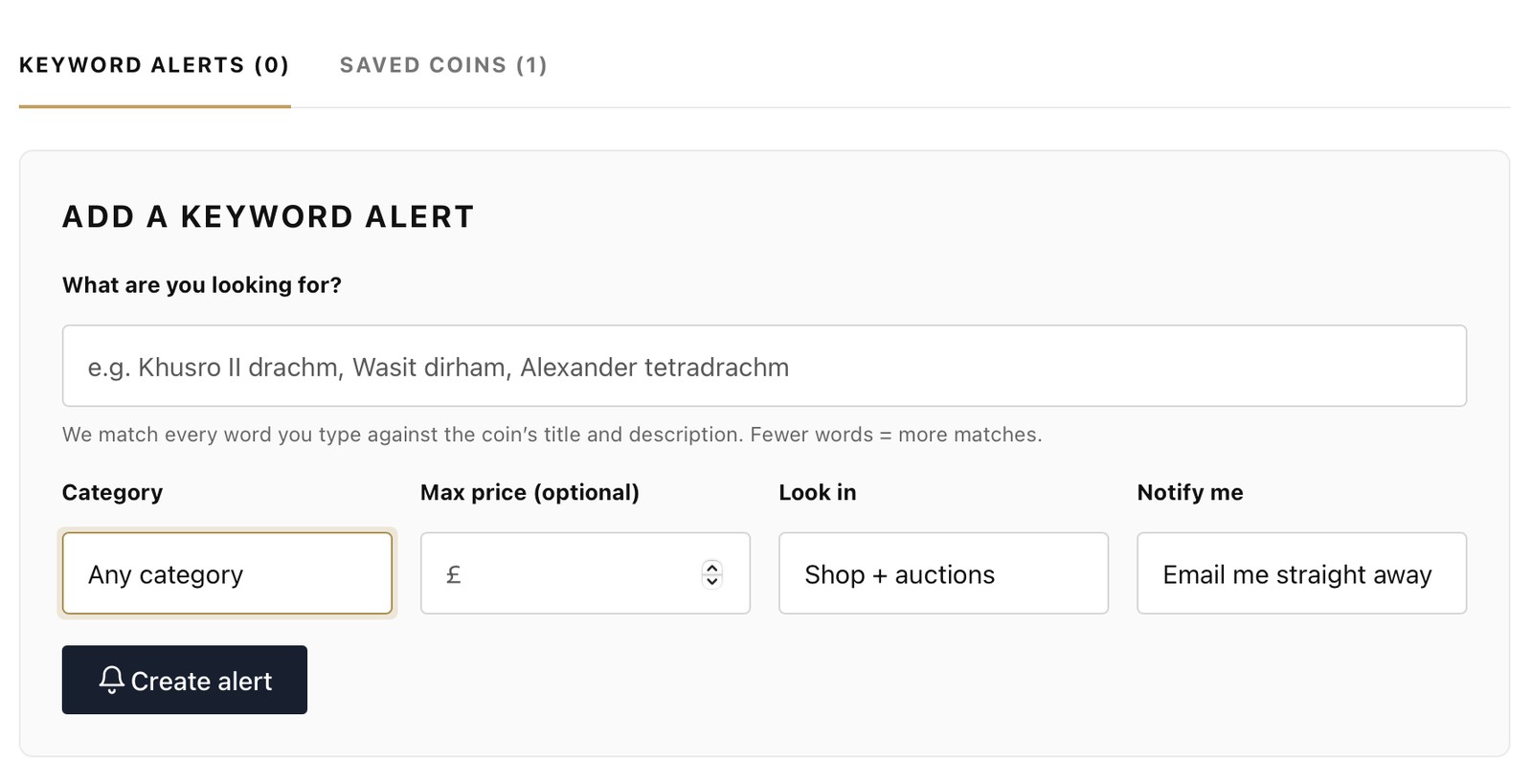
Open Wishlist & alerts in your free account, type a ruler, dynasty or coin type, and press Create alert. We email you as soon as a matching coin is listed in our shop or auctions. Keep the words few and you will catch more coins.
Ancient and Islamic coins are one of a kind. When the Khusro II drachm you have wanted for years appears, it may be the only one you see for months. If it sells before you visit the site, it is gone.
Checking every day is no way to collect. A keyword alert does the watching for you, so you only hear about coins you actually want.
Step by stepHow to set an alert in two minutes
- Log in and open Wishlist & alerts. It is in your account menu. Create a free account if you do not have one yet.
- Type what you are looking for. A ruler, a dynasty, a denomination or a mint, such as "Wasit dirham".
- Set your options. Choose a category, add a maximum price if you want one, and decide whether to watch the shop, the auctions or both.
- Press Create alert. By default we email you straight away when a match appears.
The secretHow to word an alert so it works
This is the part that matters. We match every word you type against the coin's title and description. So the more words you add, the fewer coins can match.
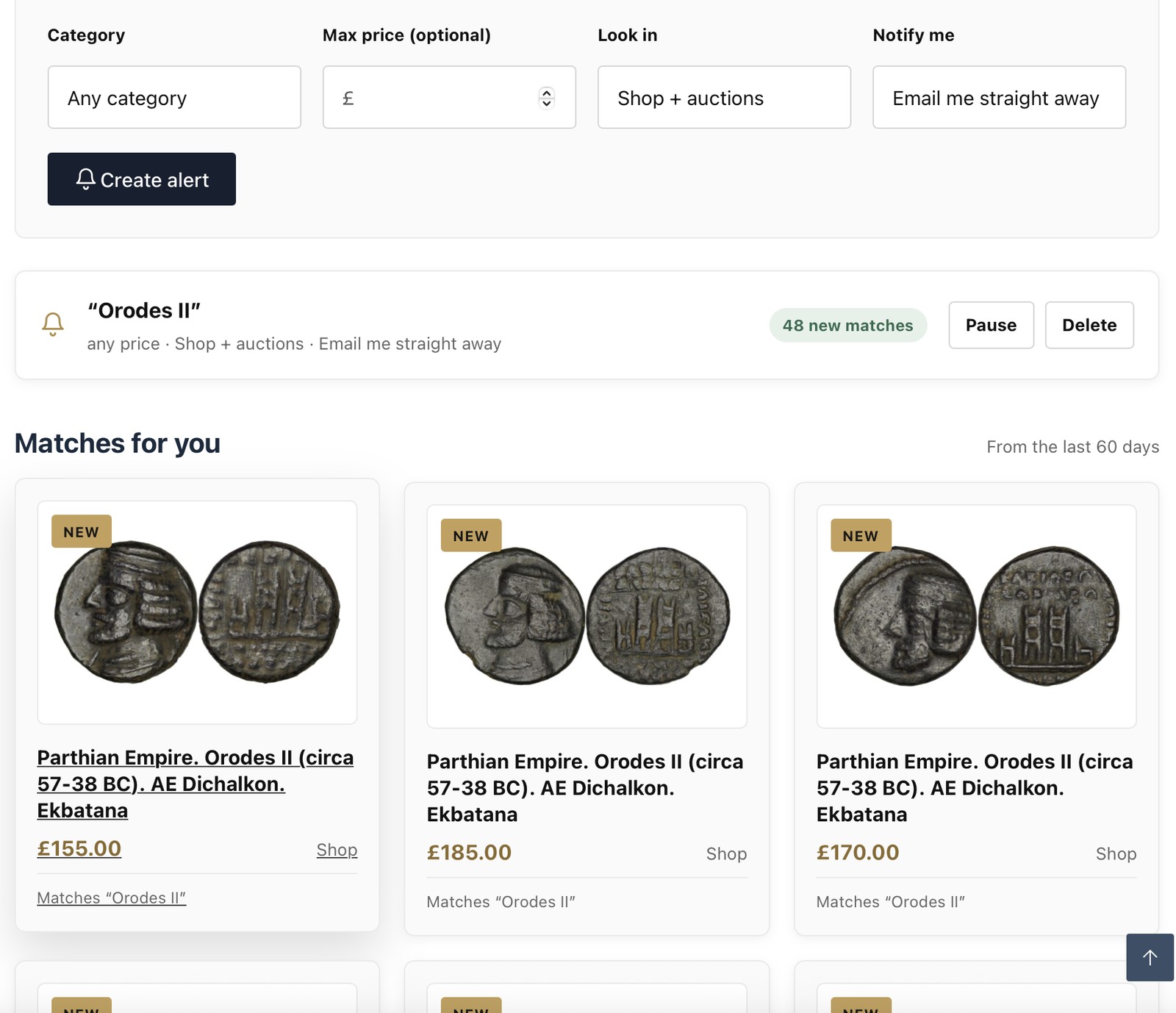
Our coin titles follow a pattern. For example: Parthian Empire. Orodes II (circa 57-38 BC). AE Dichalkon. Ekbatana. That title holds the empire, the ruler, the date, the metal, the denomination and the mint. Any of those words can be the start of an alert.
| What you type | What it catches | Best for |
|---|---|---|
Orodes II | Any coin whose title or description has these words | A ruler you collect |
Safavid | A whole dynasty, from every denomination | Wide watching |
dirham | Every dirham, from any ruler or mint | A denomination collector |
Khusro II drachm | Only coins that mention both words | A specific type |
Wasit dirham | Dirhams that mention the Wasit mint | A mint collector |
Alexander tetradrachm | Tetradrachms that mention Alexander | A famous issue |
Try itAlert builder
Fill in any of the boxes. The builder shows the alert phrase and how wide it will be.
Build your alert phrase
Smart tipsFive ways to get more from alerts
1. Set more than one alert for the same ruler
Rulers can be spelled in several ways. Khusro, Khosrow and Chosroes can all be one king. Titles use one spelling, so a second alert with another spelling can catch coins the first one misses.
2. Mix wide and narrow alerts
Use a wide alert for your main area, such as "Sasanian". Add a narrow one for the coin you really want, such as "Khusro II drachm". The narrow alert is your sniper. The wide one is your radar.
3. Use a maximum price
If you only buy under a certain budget, add it. You will only hear about coins that fit.
4. Watch the auctions before a sale
Choose Look in: Auctions before an auction. Our next one takes place on Sunday 22 November 2026, so lots will appear on the site beforehand.
5. Pause or delete when you are done
Bought your coin? Press Pause or Delete on the alert, so your inbox only holds what you still want.
After the alertYour matches, in one place
Every alert stays in your account. It shows how many new matches it has found, and a Matches for you list from the last 60 days. So even if you miss an email, the coins are still there.
Saved a coin that sold?
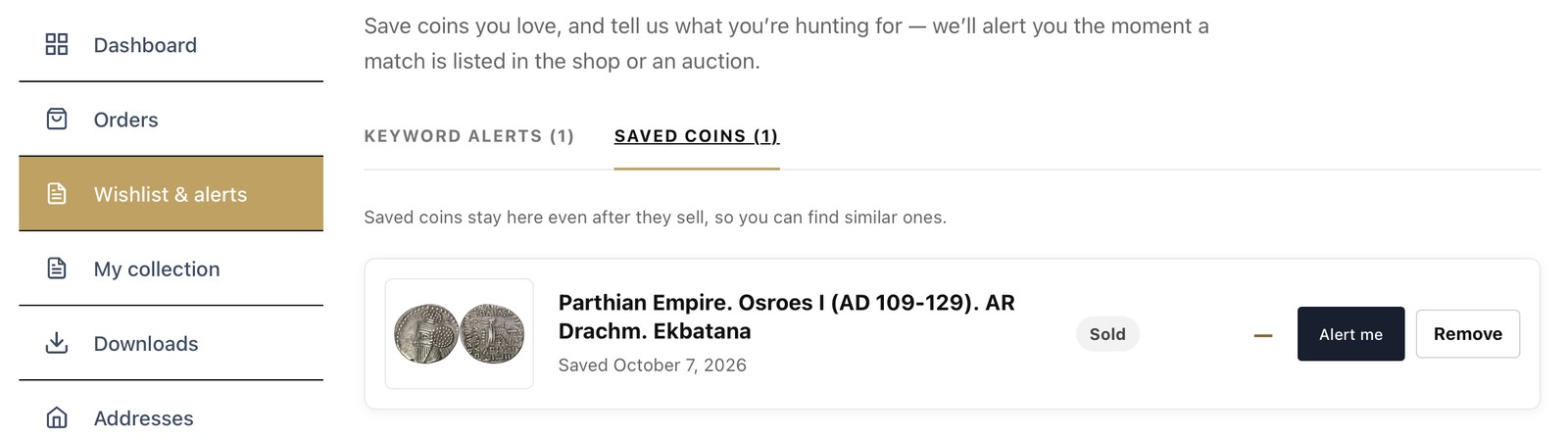
Coins you save stay in your account, even after they sell. Each one has an Alert me button, so you can set an alert for similar coins in one press.
Get startedFive alerts to set today
- Your favourite ruler. One or two words, no price limit.
- Your favourite denomination. Such as "dirham" or "tetradrachm".
- A dynasty you want to learn about. Such as "Safavid" or "Parthian".
- A budget alert. A wide word with a maximum price, for bargains.
- An auctions-only alert. To catch lots before the next sale.
QuestionsFrequently asked questions
Are coin alerts free?
Yes. Keyword alerts are free for every account holder.
How do coin alerts work?
You type a keyword, such as a ruler or denomination. We match every word against the title and description of coins listed in our shop and auctions, and email you when one matches.
Why am I getting too many matches?
Add another word to narrow the alert, or set a maximum price. Fewer words give more matches, and more words give fewer.
Why did I miss a coin I expected?
Check the spelling. A coin titled with a different spelling of the ruler will not match. Set a second alert with the other spelling.
Can I set alerts for the auctions only?
Yes. Choose shop, auctions or both when you create the alert.
Can I stop an alert?
Yes. Press Pause to stop it for a while, or Delete to remove it.
I want a coin you do not have. Can you find it?
Tell us what you are looking for. Set an alert, and message us as well. We may be able to source it.
Never miss your coin again
Create your free account and set your first alert. It takes two minutes.
Set my first alert Browse the coin store